

Key Takeaways
- Megapixel count measures resolution only - not color accuracy, dynamic range, or low-light performance.
- Sensor physical size has a greater impact on image quality than pixel count alone.
- Aperture, lens quality, and image processing software all shape the final photo significantly.
- Pixel binning allows high-megapixel sensors to combine pixels for better low-light results.
- A camera with fewer megapixels but a larger sensor often produces cleaner, more detailed images.
Why Megapixels Became the Default Shorthand
When smartphone makers and camera manufacturers compete for consumer attention, they need a simple, comparable number. Megapixels fit that role perfectly - they're easy to measure, easy to print on a spec sheet, and easy to compare. A 200MP camera sounds obviously better than a 12MP camera to someone unfamiliar with imaging hardware.
The problem is that megapixels measure exactly one thing: how many pixels an image contains. A megapixel equals one million pixels. So a 12MP image contains roughly 12 million individual dots of color data. That directly determines the maximum printable size and how much you can crop before the image degrades. What it says nothing about is how accurately colors are captured, how the camera performs in dim light, or whether edges appear sharp or mushy.
For a broader look at how phone hardware actually works together, see Inside Your Smartphone for a full hardware breakdown.
Myth
More megapixels always means sharper, better-looking photos.
Fact
Sharpness depends on lens quality, sensor size, and processing - not pixel count alone.
A high megapixel count can actually work against image quality if the individual pixels are made smaller to fit more of them onto the same-sized sensor. Smaller pixels collect less light per exposure, increasing noise and reducing dynamic range. A 48MP sensor on a tiny phone camera can produce noisier images than a well-engineered 12MP sensor on the same module size.
Myth
A higher megapixel camera will always perform better in low light.
Fact
Low-light performance is primarily driven by sensor size and aperture width, not pixel count.
In dim conditions, the camera needs to gather as much light as possible. Sensor physical area and lens aperture determine that capacity. Many high-megapixel smartphone cameras use pixel binning at night - combining multiple small pixels into one effective larger pixel - which essentially reduces the working resolution to improve light sensitivity. The underlying limit is still the sensor's physical light-gathering ability.
Myth
Megapixels determine how good a photo looks on screen.
Fact
Most displays cannot resolve the difference between 12MP and 50MP images at normal viewing sizes.
A standard 1080p monitor displays roughly 2 million pixels. Even a 4K screen shows about 8 million. A 12MP image already contains 12 million pixels - far more than most screens can render at full-view. The visible quality difference between 12MP and higher resolutions becomes apparent primarily when printing large-format images or performing heavy cropping, not during everyday screen viewing.
Myth
Optical zoom quality is tied to megapixel count.
Fact
Optical zoom depends entirely on lens focal length and sensor size, not megapixels.
True optical zoom physically changes the focal length of the lens, magnifying the subject before the image reaches the sensor. This has no relationship to how many pixels the sensor contains. Digital zoom, by contrast, simply crops and enlarges the existing sensor data - which does degrade with lower megapixel counts. Cameras achieve telephoto reach by including separate long-focal-length lens modules, not by increasing pixel density.
Myth
Computational photography is just software fixing what hardware can't do.
Fact
Modern image processing is a designed hardware-software system, not a workaround.
Dedicated image signal processors (ISPs) are engineered into camera systems as core components. They run algorithms for multi-frame HDR stacking, noise reduction, edge detection, and color science at the point of capture. The quality of this processing pipeline - including the algorithms and the silicon executing them - is a legitimate differentiator in camera output quality, not a post-hoc fix for poor optics.
The Factors That Actually Determine Image Quality
Three technical variables consistently matter more than megapixel count in real-world shooting conditions.
Sensor Physical Size
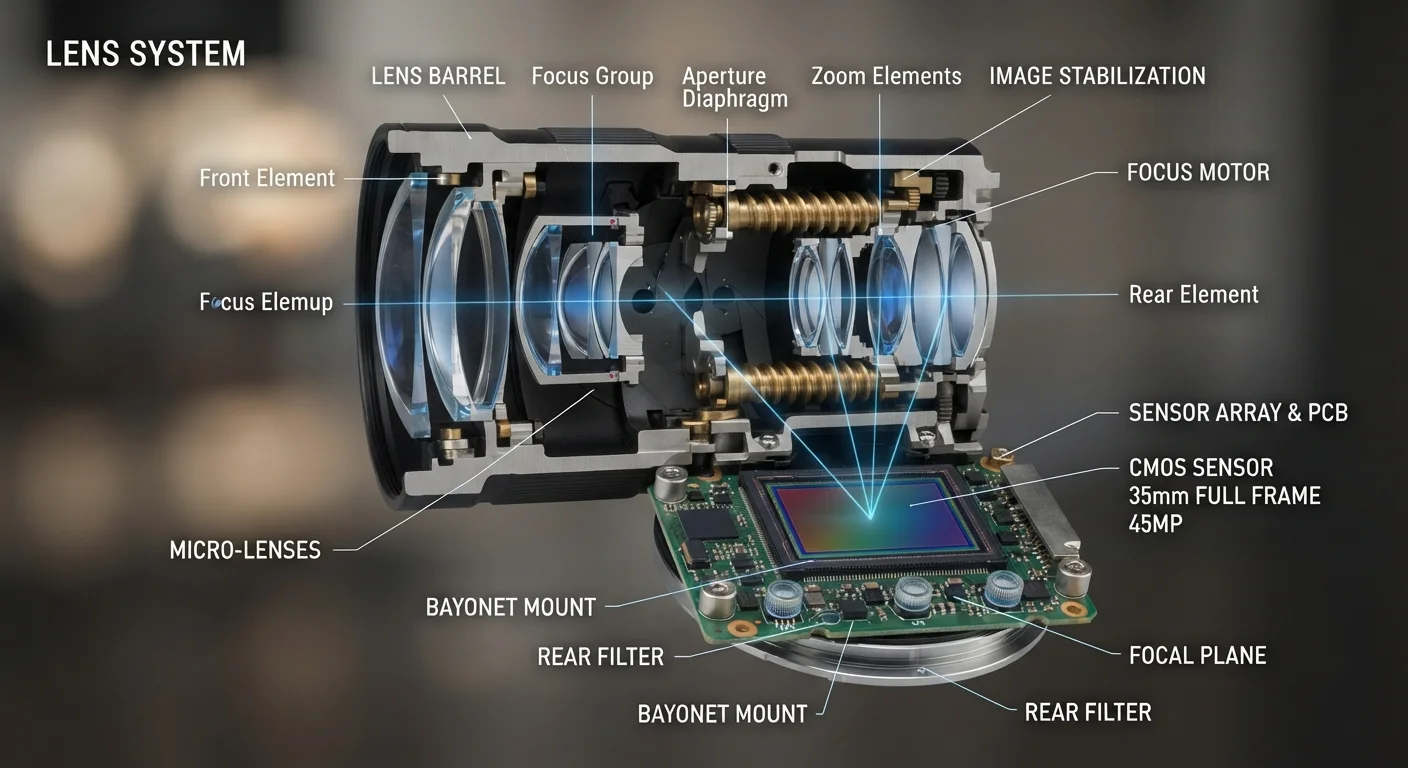
The image sensor is a physical chip that collects light. Larger sensors capture more light per exposure, which directly reduces noise - the graininess visible in dark scenes. A phone packing a large sensor into its camera module will generally outperform one with a higher-megapixel but smaller sensor in low-light environments. Sensor size is typically described in fractions of an inch or in crop-factor terms relative to a full-frame 35mm standard.
Aperture
Aperture describes how wide the lens opening is when a photo is taken, expressed as an f-number (f/1.8, f/2.4, etc.). Smaller f-numbers mean wider openings and more light reaching the sensor. This affects both low-light capability and depth of field - how much of the scene appears sharp versus softly blurred. Aperture is a lens property; changing megapixels doesn't alter it at all.
Image Signal Processing
Modern cameras - especially smartphones - rely heavily on computational photography. The image signal processor (ISP) applies noise reduction, HDR merging, sharpening, and color tuning to raw sensor data before you see a final photo. Two devices with identical sensors can produce meaningfully different results based on processing alone. For a deeper look at how processor architecture shapes device performance, The Processor Specs That Actually Affect Device Feel is a useful companion read.
12MP
Common print-quality threshold for large-format photos
A 12-megapixel image produces a sharp 16×20 inch print at standard viewing distances, illustrating that most consumer use cases don't require higher counts.
4-in-1
Typical pixel binning ratio on high-megapixel phones
Many smartphones with 48MP or higher sensors default to 12MP output images by merging four pixels into one, prioritizing light capture over raw resolution.
How to Read Camera Specs More Accurately
Once you understand what megapixels don't cover, reading a camera spec sheet becomes a more productive exercise. Look for sensor size information - often expressed as a fraction like 1/1.28" - alongside the pixel count. A larger fraction denominator means a physically smaller sensor. Pay attention to the maximum aperture of each lens, especially the primary wide camera. Note whether the device uses pixel binning, a technique that merges adjacent pixels (often 4-in-1 or 9-in-1) to create larger effective pixels with better light capture.
Dynamic range - the ability to retain detail in both bright highlights and dark shadows simultaneously - is another quality measure entirely absent from megapixel counts. It's rarely listed directly but shows up in sample photo evaluations.
For a complete reference to what each camera specification actually means, Megapixels, Aperture, Sensors: Decoding Smartphone Camera Specs walks through each term in detail.
Resolution Isn't the Same as Quality
Megapixels measure image resolution - the number of data points captured. Image quality is a composite of sensor size, lens optics, aperture, processing, and color science. Evaluating cameras on megapixel count alone discards most of the information that predicts real-world output. When comparing cameras, treat megapixels as one minor data point rather than the headline figure.