

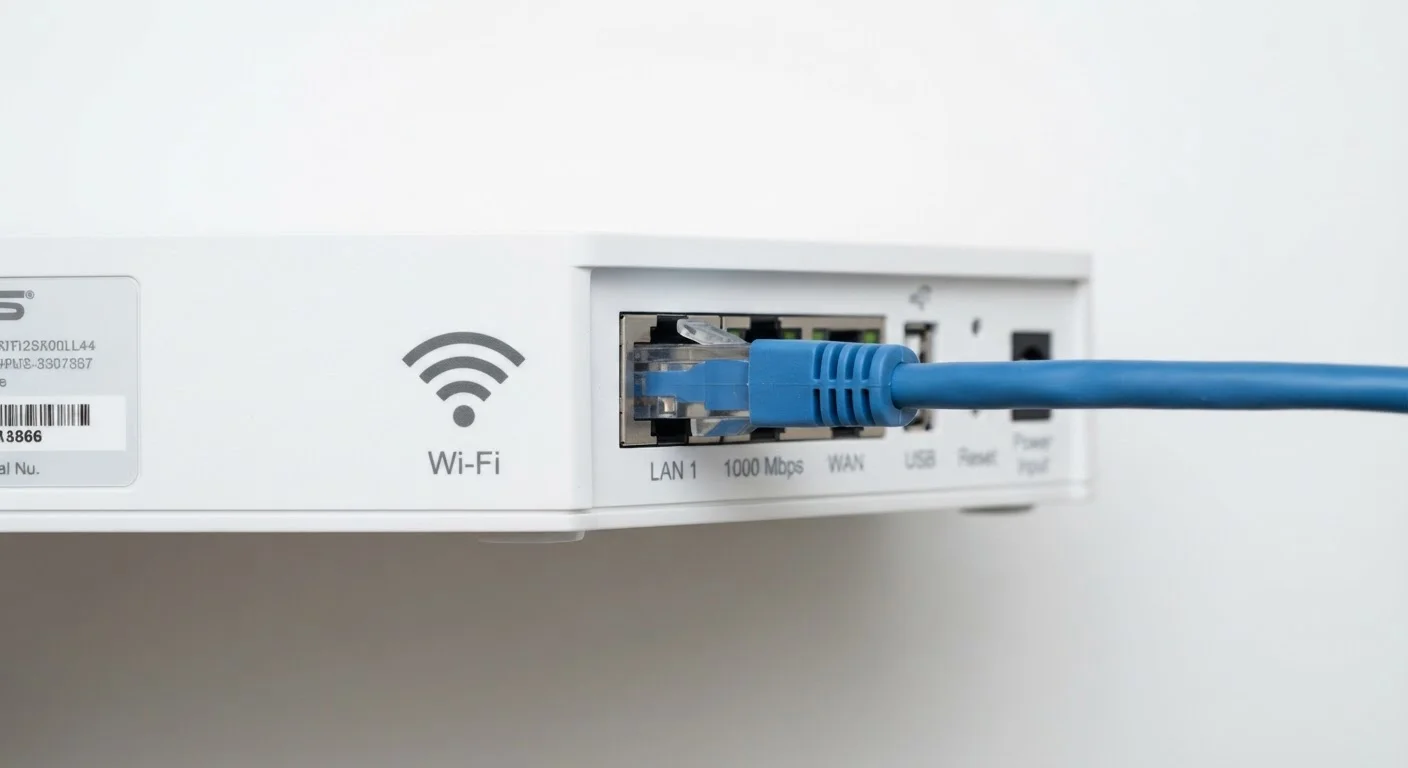
Key Takeaways
- Ethernet typically delivers lower latency and more consistent speeds than Wi-Fi.
- Wi-Fi signals share radio spectrum with neighboring networks and household appliances, causing interference.
- Wired connections eliminate packet loss caused by wireless signal degradation.
- Modern Wi-Fi standards have narrowed - but not closed - the performance gap with Ethernet.
- The right choice depends on device mobility needs and the nature of your network tasks.
Option A
Wi-Fi
The flexible, cable-free standard for everyday connectivity.
Best for: Households where mobility matters and running cables is impractical.
Option B
Ethernet
The reliable, low-latency wired connection for demanding tasks.
Best for: Stationary devices where consistent speed and signal stability are priorities.
If you stream video, browse casually, or use a laptop or phone
Wi-Fi
Wi-Fi is more than capable for everyday streaming and browsing, and mobility makes cables impractical for phones and laptops.
If you play competitive online games or use video conferencing professionally
Ethernet
Ethernet's lower latency and stable packet delivery reduce lag and connection drops that wireless signals can introduce.
If you transfer large files regularly between a desktop and a NAS or server
Ethernet
Wired connections sustain higher throughput over long transfers without the speed dips wireless networks commonly experience.
If you live in a densely populated building with heavy wireless congestion
Ethernet
Crowded radio channels significantly degrade Wi-Fi performance; a cable bypasses spectrum congestion entirely.
How Each Connection Actually Works
Wi-Fi and Ethernet both connect your device to a router - and through it, to the internet - but they use fundamentally different physical mechanisms to do so.
Ethernet sends data as electrical signals (or, in fiber variants, pulses of light) through a dedicated physical cable. Because the cable is a private, shielded channel, the signal travels from point A to point B with minimal external interference. The protocol used - technically IEEE 802.3 - was designed with predictable, deterministic behavior in mind.
Wi-Fi (IEEE 802.11) transmits data as radio waves through the air. Your router and device negotiate a shared radio channel, encode data into the signal, and broadcast it across open space. That openness is Wi-Fi's great strength - no cables required - but it also introduces challenges that Ethernet simply doesn't face.
For a broader look at how these technologies fit into your overall internet setup, see this plain-language guide to Wi-Fi, Ethernet, and mobile data.
The Technical Differences That Actually Matter
Understanding a few core concepts makes it clear why a cable often outperforms wireless - even when your Wi-Fi signal looks strong.
| Criterion | Wi-Fi | Ethernet |
|---|---|---|
| Typical local latency | 10-50 ms (variable) | 1-5 ms (stable) |
| Interference susceptibility | High - shared radio spectrum | Very low - private cable |
| Throughput consistency | Variable; drops with distance | Rated speed maintained reliably |
| Setup convenience | No cables needed | Requires physical cable run |
| Device mobility | Full - no physical tether | None - tethered to port |
| Packet loss risk | Higher in congested areas | Very low under normal conditions |
| Maximum practical speed | Hundreds of Mbps (real-world) | Up to 1-10 Gbps (hardware dependent) |
Latency
Latency - the time it takes for a data packet to travel from your device to a server and back - is where Ethernet shows its clearest advantage. A wired connection typically achieves round-trip latency of 1-5 milliseconds on a local network. Wi-Fi adds variability: radio contention, retransmissions, and signal processing can push latency to 10-50 ms or higher during congestion. For most browsing, this is imperceptible. For real-time gaming or voice calls, it matters considerably.
Interference and Shared Spectrum
Wi-Fi operates on shared radio bands - primarily 2.4 GHz and 5 GHz. Every neighboring network, microwave oven, baby monitor, and Bluetooth device that uses the same band competes for the same airspace. This is called co-channel interference, and it causes dropped packets and retransmissions. Ethernet has no such competition; your cable is yours alone.
Throughput Consistency
Raw speed advertised for Wi-Fi standards (e.g., Wi-Fi 6's theoretical 9.6 Gbps) represents ideal conditions that are rarely achieved in practice. Walls, distance from the router, and interference all reduce real-world throughput. Ethernet links, by contrast, typically run at their rated speed reliably - 100 Mbps, 1 Gbps, or higher - as long as the cable and hardware support it.
Where Wi-Fi Has Genuinely Improved
It's worth acknowledging that Wi-Fi technology has advanced significantly. Wi-Fi 6 (802.11ax) introduced OFDMA (Orthogonal Frequency Division Multiple Access), which allows a router to serve multiple devices simultaneously rather than taking turns - reducing congestion in dense environments. Wi-Fi 6E extended this to the less-crowded 6 GHz band, and Wi-Fi 7 (802.11be) adds multi-link operation for even lower latency.
These improvements narrow the gap with Ethernet for many use cases. A well-placed Wi-Fi 6 router on the 5 GHz band in a low-interference environment can deliver throughput and latency that most households will never notice compared to Ethernet.
Signal Strength Doesn't Tell the Whole Story
A Wi-Fi signal showing four bars or "excellent" strength on your device is measuring signal amplitude - how loudly your router is heard. It does not measure interference, channel congestion, or the number of competing devices on the same channel. A strong-looking Wi-Fi connection can still suffer from high packet loss and variable latency in a crowded radio environment, which is why real-world speed tests often reveal performance below what signal strength alone would suggest.
The wired-vs-wireless pattern recurs across many device categories. If you're curious how it plays out with keyboards, mice, and headphones, this comparison of wired vs. wireless peripherals covers the trade-offs in depth.
Practical Scenarios: Which to Choose
The decision between Wi-Fi and Ethernet isn't about which technology is objectively superior - it's about matching the connection type to the task and physical environment.
~5 ms
Typical Ethernet round-trip latency on a local network
Wired connections maintain sub-10 ms latency under normal household conditions, according to general networking benchmarks.
~30%
Real-world Wi-Fi throughput vs. theoretical maximum
Industry testing consistently shows that real-world Wi-Fi speeds are a fraction of advertised maximums due to interference, distance, and protocol overhead.
2.4 GHz
Most congested Wi-Fi band in dense residential areas
The 2.4 GHz band is shared with Bluetooth, microwaves, and older devices, making it the most interference-prone frequency for home networking.
- Gaming consoles and desktop PCs: These are stationary, and a direct Ethernet run is usually feasible. Wired connections reduce the latency spikes that cause lag in competitive games.
- Smart TVs and streaming boxes: High-definition video streaming is fairly tolerant of modest latency, but a wired connection reduces buffering in congested Wi-Fi environments.
- Laptops and phones: Mobility makes Ethernet impractical. Modern Wi-Fi handles these devices well, provided the router is reasonably close and the band isn't oversaturated.
- Home offices: Video calls and cloud-based work benefit from Ethernet's stability. A dropped packet at the wrong moment affects call quality in ways that are immediately noticeable.
If running a cable isn't feasible, a powerline adapter or MoCA adapter can carry a wired signal through your home's existing electrical or coaxial wiring - a middle path worth considering for hard-to-reach rooms.