

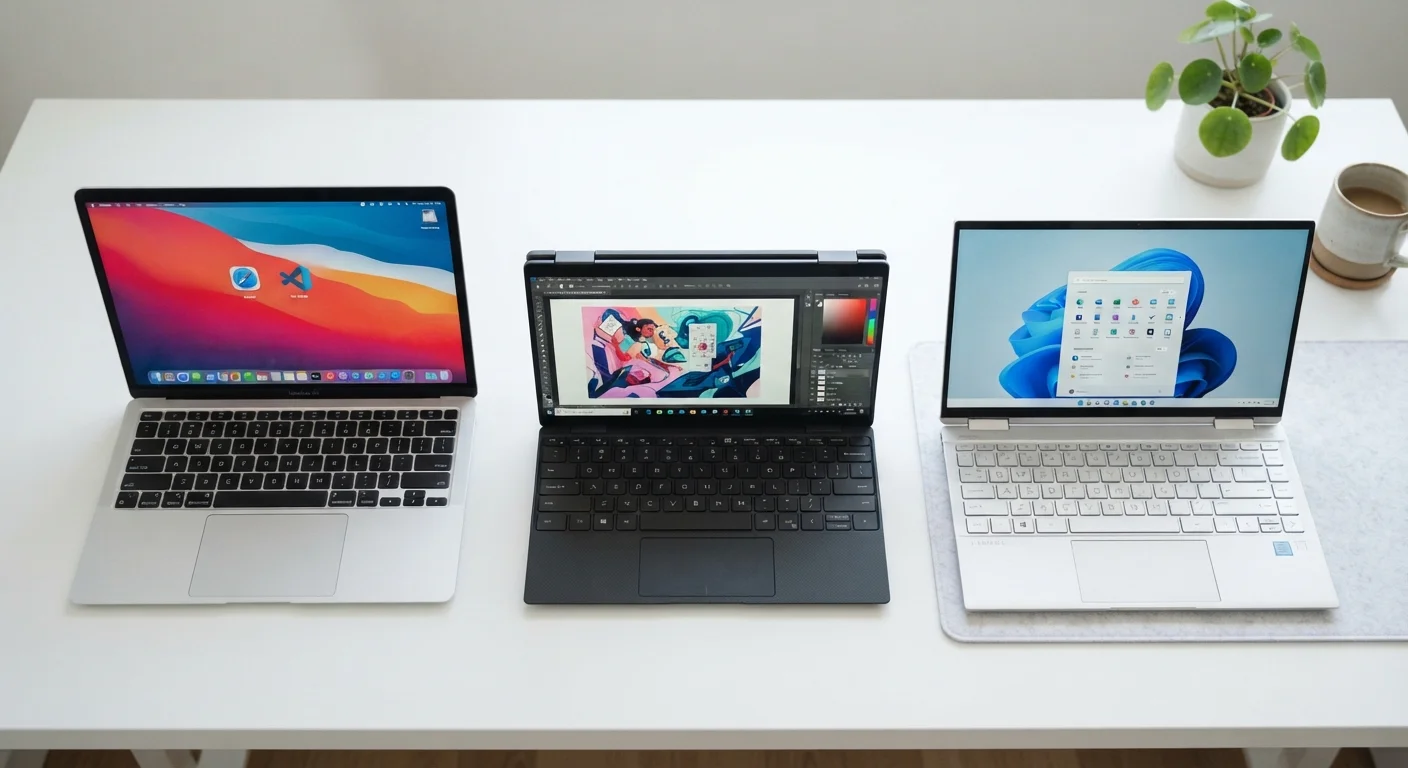
Key Takeaways
- Clamshell laptops offer the most straightforward design, typically delivering better thermal headroom and keyboard depth.
- 2-in-1 convertibles add touch and stylus flexibility but carry weight and keyboard compromises.
- Ultrabook is a performance-and-portability specification, not a distinct physical shape - it can overlap with either of the other two.
- Choosing a form factor should be driven by primary use patterns, not feature lists.
Our Verdict
No single form factor is universally superior. Clamshells remain the most reliable choice for sustained productivity and typing comfort. 2-in-1s suit users who regularly switch between content consumption and creation modes. Ultrabooks, regardless of physical shape, define a tier of thinness and battery performance that suits frequent travelers.
| Best for | Recommended |
|---|---|
| Writers, coders, and office productivity users | Clamshell |
| Students, artists, and note-takers who value touch and stylus input | 2-in-1 Convertible |
| Frequent travelers who prioritize thin profiles and all-day battery | Ultrabook |
What the Three Terms Actually Mean
The laptop market uses clamshell, 2-in-1, and ultrabook as if they're interchangeable categories, but they describe different things. Clamshell and 2-in-1 refer to physical hinge design. Ultrabook is a performance specification. Understanding this distinction prevents a lot of confusion when comparing devices.
A clamshell opens like a traditional book - screen on top, keyboard on the bottom - and locks at roughly 135 degrees. It's the format laptops have used for decades. A 2-in-1 convertible adds a hinge that rotates 360 degrees, or a detachable screen, allowing the device to function as both a laptop and a tablet. An ultrabook, a term formalized by Intel as a hardware specification, describes any thin, light laptop meeting defined thresholds for thickness, battery life, wake time, and processor class - and an ultrabook can be a clamshell or a 2-in-1. See our device comparison checklist for a structured framework to evaluate any laptop against these dimensions.
Clamshell Laptops: Simplicity and Thermal Advantage
Clamshells represent the most thermally efficient laptop design. Because the chassis doesn't need to accommodate a rotating or detachable hinge mechanism, engineers have more flexibility in placing cooling systems - fans, heat pipes, and vents - without worrying about mechanical conflicts. This generally translates to better sustained performance under load.
Keyboard depth is another structural advantage. Clamshells don't need to compromise key travel to stay within a hinge-weight budget, so they tend to offer more satisfying typing experiences than comparably priced 2-in-1s. The trade-off is rigidity: clamshells offer no touchscreen interaction mode and function only as laptops.
For users whose primary activities are document work, programming, or any task requiring extended keyboard use, the clamshell's architectural simplicity is a practical strength, not a limitation. Understanding how processor architecture interacts with thermal headroom is equally important - our article on processor specs and everyday performance explains how chip design affects how a device actually feels to use.
2-in-1 Convertibles: Flexibility and Its Real Costs
A 2-in-1 laptop offers genuine versatility: laptop mode for typing, tent or stand mode for presentations, and tablet mode for touch-based tasks or stylus note-taking. This is genuinely useful for students, illustrators, and anyone who regularly annotates documents or sketches diagrams.
But that flexibility carries documented trade-offs. The 360-degree hinge mechanism adds weight concentrated at the screen edge, affecting overall balance. To keep the device manageable in tablet mode, manufacturers often thin the chassis, which reduces space for cooling hardware. The result is that 2-in-1s at equivalent price points to clamshells frequently throttle processor performance sooner under sustained loads.
Keyboard quality is also commonly compromised. Shallower key travel - necessary to keep the device thin enough to hold comfortably as a tablet - affects typing feedback. For a thorough look at these trade-offs, our piece on convertible laptop trade-offs covers weight distribution, thermal behavior, and keyboard depth in detail.
| Clamshell | 2-in-1 Convertible | Ultrabook | |
|---|---|---|---|
| Hinge design | Fixed, ~135° max | 360° rotate or detachable | Fixed or 360° (varies) |
| Touchscreen support | Rarely included | Always included | Often included |
| Typical keyboard depth | Deepest travel | Shallower travel | Varies; often shallow |
| Thermal performance | Best sustained cooling | Constrained by thin chassis | Optimized for efficiency |
| Portability | Moderate to high | Moderate | Highest priority |
| Primary design goal | Productivity and reliability | Flexibility across modes | Thinness and battery life |
Ultrabooks: A Specification, Not a Shape
Ultrabook is commonly misread as a synonym for "thin laptop," but it originated as Intel's hardware certification requiring specific processor families, maximum chassis thickness (typically under 21mm), minimum battery life benchmarks, and fast resume from sleep. The intent was to define a tier of premium portability with standardized minimum performance.
Critically, ultrabook-class devices can be clamshells or 2-in-1s. What unifies them is the engineering priority: minimize weight and thickness while maintaining enough processing power for mainstream productivity workloads and achieving all-day battery life. The trade-off is that ultrabooks rarely include dedicated graphics chips in standard configurations, and their cooling systems are optimized for efficiency rather than sustained peak throughput.
Travelers and commuters who prioritize carry weight and want a device that can handle full workdays away from a charger are the natural audience for ultrabook-class hardware - regardless of whether the physical design is a clamshell or a convertible. For context on where laptops end and tablets begin architecturally, see our breakdown of tablet vs. laptop hardware boundaries.
21mm
Maximum ultrabook chassis thickness
Intel's original ultrabook specification set a maximum chassis thickness of approximately 21mm as a defining hardware threshold.
360°
Hinge rotation in convertibles
Full 360-degree hinge rotation is the defining mechanical characteristic that distinguishes convertible 2-in-1s from standard clamshell designs.